10.6.2 Quiz Module 10 Common hardware upgrades Answers
10.6.2 Quiz Module 10 Common hardware upgrades Answers
The 10.6.2 Quiz Module 10 Common Hardware Upgrades Answers provide the correct answers to quiz questions focused on upgrading and improving computer hardware components. These answers help learners review key topics such as upgrading RAM, storage drives, graphics cards, processors, power supplies, cooling systems, and other internal components while considering compatibility and performance requirements. By studying the Common Hardware Upgrades Answers, learners can strengthen their understanding of upgrade procedures and prepare more confidently for the Module 10 quiz and related assessments.
1. A desktop computer has performance issues including, taking a long time to respond to commands and frequently freezing during multitasking. Which hardware component is the most likely candidate for an upgrade to improve responsiveness?
- Power supply unit (PSU)
- Hard disk drive (HDD)
- Random access memory (RAM)
- Graphics processing unit (GPU)
2. A technician installs a new graphics card into a desktop computer. After installation, the system fails to boot and displays no video output. The card is fully seated in the PCIe slot. What is the most likely reason for the issue?
- The central processing unit is incompatible with the card.
- The random access memory is not fast enough to support the GPU.
- The graphics card driver was not pre-installed.
- The power supply lacks the required wattage or connectors.
3. Match each computer hardware component to the description of it’s function.
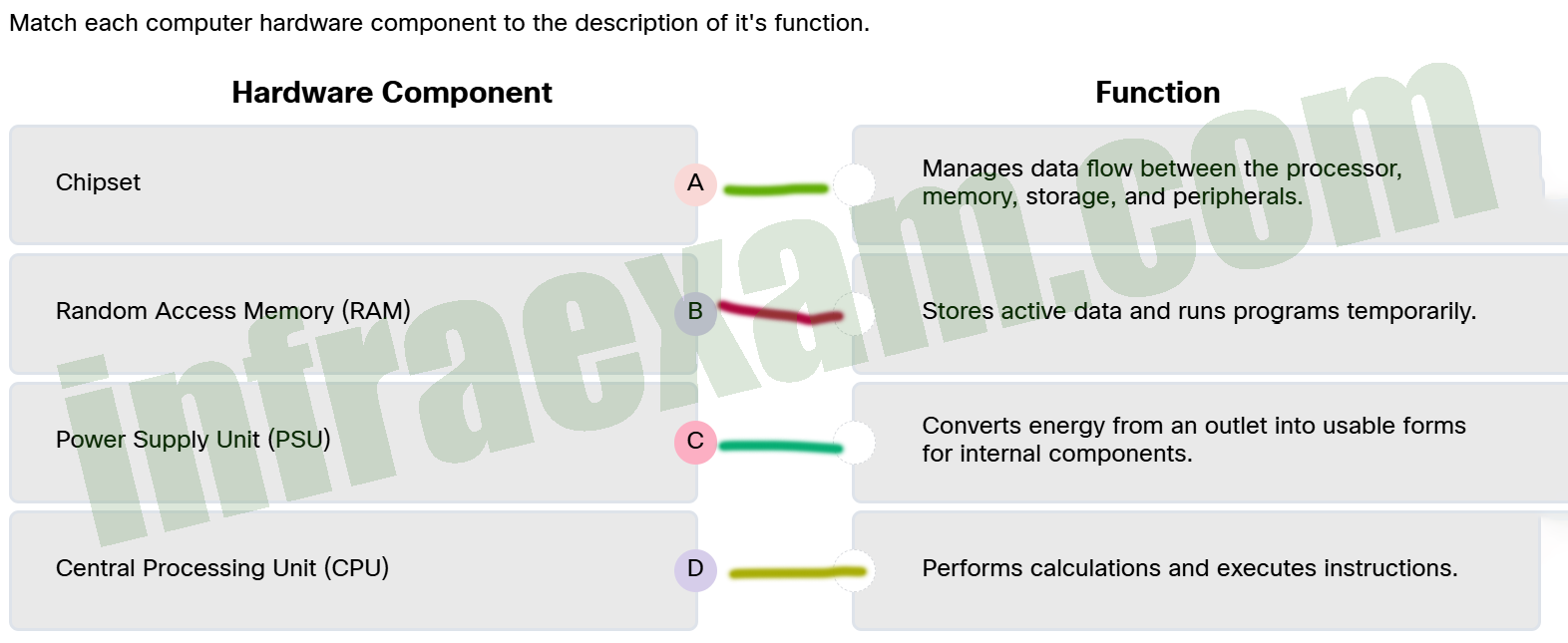
- Chipset ==> Manages data flow between the processor, memory, storage, and peripherals.
- Random Access Memory (RAM) ==> Stores active data and runs programs temporarily.
- Power Supply Unit (PSU) ==> Converts energy from an outlet into usable forms for internal components.
- Central Processing Unit (CPU) ==> Performs calculations and executes instructions.
4. A technician is upgrading a desktop system with new RAM modules that match the correct DDR generation and fit the slots of the motherboard. However, after installation, the system boots but crashes intermittently under load. What is the most appropriate next step to resolve the issue?
- Check the Qualified Vendor List (QVL) of the motherboard to verify the RAM model is officially supported.
- Downgrade to an older BIOS version that worked with the previous RAM to ensure compatibility.
- Replace the power supply with one that offers more wattage.
- Increase the RAM voltage manually in the BIOS settings.
5. A mid-sized company recently upgraded its computer systems and needs to dispose of hundreds of old devices, including hard drives and monitors. The IT manager wants to ensure the disposal process complies with local laws and protects sensitive data. They are reviewing the regulations and recycling options available in their region. Which statement describes the responsibilities and regulations that apply to this company’s e-waste disposal?
- The company only needs to recycle devices if they are still under warranty; otherwise, disposal regulations do not apply.
- The company can recycle electronics themselves without any certification, as long as they do not resell the devices.
- The company can dispose of all electronic devices in regular trash bins if the devices are more than five years old, because older electronics are exempt from regulations.
- The company must use certified e-waste recyclers who follow standards like R2 or e-Stewards to securely recycle electronics and protect data, or risk fines.
6. A technician is assembling a new desktop computer. While connecting the power supply cables, the technician notices that one connector fits only one way into the motherboard socket, preventing improper installation. Which feature of power supply connectors is responsible for this behavior?
- slotted
- keying
- molex
- multi rail
7. A user reports that their USB webcam stopped working properly after a recent driver update. The webcam had previously functioned without issue. The technician verifies that the issue began after the update and confirms that the hardware is still functional. Which Device Manager option is the most appropriate first step to resolve this issue?
- Scan for hardware changes — to prompt Windows to detect and reinstall missing drivers.
- Uninstall Device — to remove the current driver and settings completely from the system.
- Disable Device — to stop system communication with the webcam and conserve power.
- Roll Back Driver — to restore the previously working driver version.
8. A system builder is selecting components for a compact workstation designed for light 3D modeling. The chosen motherboard uses a high-performance chipset that supports PCIe 5.0, dual M.2 NVMe slots, and up to 128 GB of RAM. However, once the board arrives, the builder notices that only one expansion slot is available, there are only two RAM slots, and the layout restricts the use of large cooling solutions. What explains the limited upgrade and expansion options of the builder?
- The thermal design of the chipset requires low-profile components to prevent overheating in small enclosures.
- BIOS settings are preventing expansion features from being recognized.
- The form factor of the motherboard physically restricts the implementation of all chipset features.
- The selected chipset is not compatible with workstation-grade CPUs.
9. Which statement describes modern power supply capabilities in desktop systems?
- ATX12V supplies have replaced all need for auxiliary connectors due to integrated power rails.
- Modern power supplies support multiple voltage outputs and connector types, including ATX 3.0 and PCIe 6/8-pin options, to meet the demands of varied components.
- All components receive the same 12V power from a universal connector, simplifying installation.
- EPS12V power supplies are primarily designed for high-end desktop and high-performance systems.
10. Which statement describes a key characteristic that differentiates Solid-State Drives (SSDs) from Hard Disk Drives (HDDs)?
- HDDs contain moving mechanical parts, such as spinning disks and read/write heads, which can make them more prone to physical damage and slower than SSDs in accessing data.
- HDDs use optical laser technology to read and write data, making them more reliable than SSDs for long-term storage.
- SSDs use magnetic disks to store data and typically have slower access speeds compared to HDDs, which use flash memory.
- SSDs use flash memory with no moving parts, resulting in faster data access and greater durability compared to HDDs that rely on spinning magnetic disks.
11. A technician is asked to build a custom PC that supports only one PCI slot, limits RAM expansion, and requires a compact cooling solution due to tighter spacing. Which motherboard form factor will the technician order?
- ATX
- ITX
- Mini-ITX
- MicroATX
12. Which installation method gives technicians the most control over driver selection and is often used for specialized or newer devices?
- Built-in recovery tools, because they reinstall the default drivers stored in system restore partitions.
- Manual installation using a vendor installer or Device Manager because it allows for selecting the most compatible and updated drivers.
- Automatic plug-and-play installation, because it ensures the driver is optimized by the operating system.
- Windows Update, because it only installs certified drivers through a streamlined process.
13. An IT technician is preparing several hard drives for disposal. What is the most effective way to ensure sensitive data cannot be recovered?
- Using approved data wiping software that meets standards like NIST 800-88 or physically destroying the drives.
- Creating multiple backups of all data to external secure locations, then deleting files from the drives before disposal.
- Formatting the drives and deleting all files manually.
- Encrypting the drives and then deleting the encryption keys.
14. A small business owner wants to build several desktop systems for tasks like spreadsheet management, video conferencing, web applications, and occasional photo viewing. The owner is considering whether to include discrete graphics cards in each system. What statement describes the most appropriate solution for the needs of this small business?
- Integrated graphics cannot support external monitors or video conferencing software, making them unsuitable for typical business tasks.
- Discrete GPUs offer better long-term reliability and are recommended even for light workloads to ensure system stability.
- Integrated graphics are well-suited for typical business tasks, offering sufficient performance while lowering power usage and overall system cost.
- Discrete graphics are required for all video output, including basic office displays and video conferencing.
15. A local community recently discovered that an informal recycling site nearby was burning old computers and electronic devices to extract valuable metals. Residents have started reporting unusual illnesses, and nearby crops have shown signs of poor growth. Why is the improper disposal and recycling of electronic waste (e-waste) such a serious concern for the community and environment?
- E-waste disposal produces large amounts of biodegradable ash that can cause temporary contamination of local lakes.
- E-waste materials break down quickly, causing frequent contamination that spreads rapidly through the air.
- Toxic substances like lead, mercury, and cadmium, can leak into soil and water, persisting for years and harming ecosystems and human health.
- E-waste is biodegradable, leading to nutrient depletion in soil and affecting crop growth.
16. A technician is assisting a user upgrading their desktop with a new graphics card. The user’s motherboard has several expansion slots: two x16 PCIe slots, one x4 PCIe slot, one x1 PCIe slot, and an older 32-bit PCI slot. Which slot should the new graphics card be installed in for optimal performance?
- the x4 PCIe slot
- the 32-bit PCI slot
- the x1 PCIe slot
- the x16 PCIe slot
17. A technician is explaining the role of the motherboard in a computer system. Which statement best describes the primary function of the motherboard?
- It controls and manages the execution of instructions by the CPU, coordinating communication with external devices and software applications to optimize system performance.
- It serves as the main printed circuit board connecting and allowing communication between components.
- It provides temporary storage for running programs and data.
- It converts AC power into DC power for the system components.
18. A user is considering upgrading their all-in-one desktop to improve performance and add features. Which limitation is the most likely to impact their upgrade options?
- incompatibility with wireless networking standards that change over time
- the inability to connect to external displays
- the lack of support for external USB peripherals
- minimal internal expansion capabilities due to integrated components
19. Match each CPU socket type to the correct description.
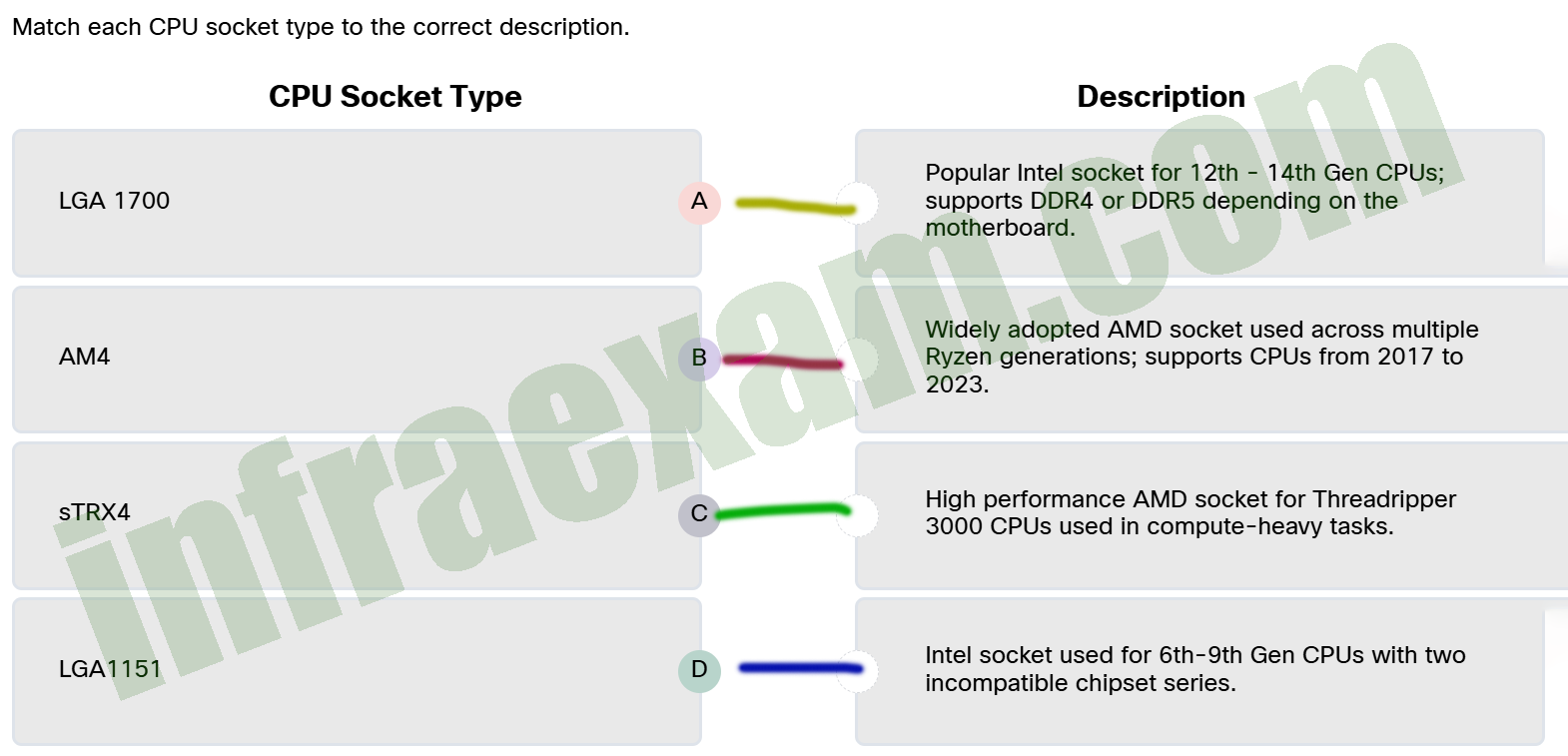
- LGA 1700 ==> Popular Intel socket for 12th – 14th Gen CPUs; supports DDR4 or DDR5 depending on the motherboard.
- AM4 ==> Widely adopted AMD socket used across multiple Ryzen generations; supports CPUs from 2017 to 2023.
- sTRX4 ==> High performance AMD socket for Threadripper 3000 CPUs used in compute-heavy tasks.
- LGA1151 ==> Intel socket used for 6th-9th Gen CPUs with two incompatible chipset series.
20. A technician connects a new graphics card to a Windows PC for gaming purposes. After booting, the display works, but performance is suboptimal. The technician checks Windows Update, which shows that a display driver has been installed. What is the most likely reason the system is not performing at full potential?
- The system’s BIOS is preventing Windows from installing the most current drivers without secure boot being disabled.
- The technician needed to reboot the device before installing the new graphics card.
- Windows Update installs beta drivers by default, which often cause compatibility issues with new hardware.
- Windows Update may install a stable but outdated driver, which lacks the latest performance enhancements or features.