IT Support Specialist Pathway Exam Answers
IT Support Specialist Pathway Exam Answers
The IT Support Specialist Pathway Exam Answers page is designed to help students and aspiring IT professionals prepare for certification exams and technical assessments related to IT support, troubleshooting, networking, operating systems, cybersecurity, and customer service skills. This pathway covers essential concepts required for entry-level and intermediate IT support roles, including hardware maintenance, software configuration, help desk operations, and problem-solving techniques. By reviewing these exam answers and explanations, learners can strengthen their technical knowledge, improve troubleshooting abilities, and gain confidence for real-world IT support environments and professional certifications.
After resolving a support call with Sarah, Malik documented the following in her ticket:
Ticket Documentation
Issue: Sarah’s laptop keeps disconnecting from the Wi-Fi network every few minutes.
Troubleshooting Steps:
1. Confirmed that Sarah’s Wi-Fi router is functioning properly and that other devices are connecting without issues.
2. Guided Sarah to update her Wi-Fi adapter driver to the latest version.
3. Checked for any interference sources near her laptop (e.g., cordless phones, microwaves).
4. Adjusted her laptop’s power settings to prevent the Wi-Fi adapter from turning off to save power.
5. Restarted the laptop, and the Wi-Fi connection remained stable for over an hour.
Outcome: Updating the Wi-Fi adapter driver and adjusting power settings resolved the disconnection issue.
Next Steps: Advised Sarah to monitor the connection over the next few days and contact support if the issue reoccurs.
Why is it important for Malik to document each troubleshooting step taken during Sarah’s call?
- It ensures that Sarah will not call back with the same issue.
- It provides a record that can assist with future support and prevents redundant troubleshooting efforts.
- It allows Malik to skip standard troubleshooting steps in future calls and shows that Malik is proficient in ticket documentation.
- It removes the need for other technicians to follow up with Sarah.
2. Match customer service guidelines with its primary purpose.
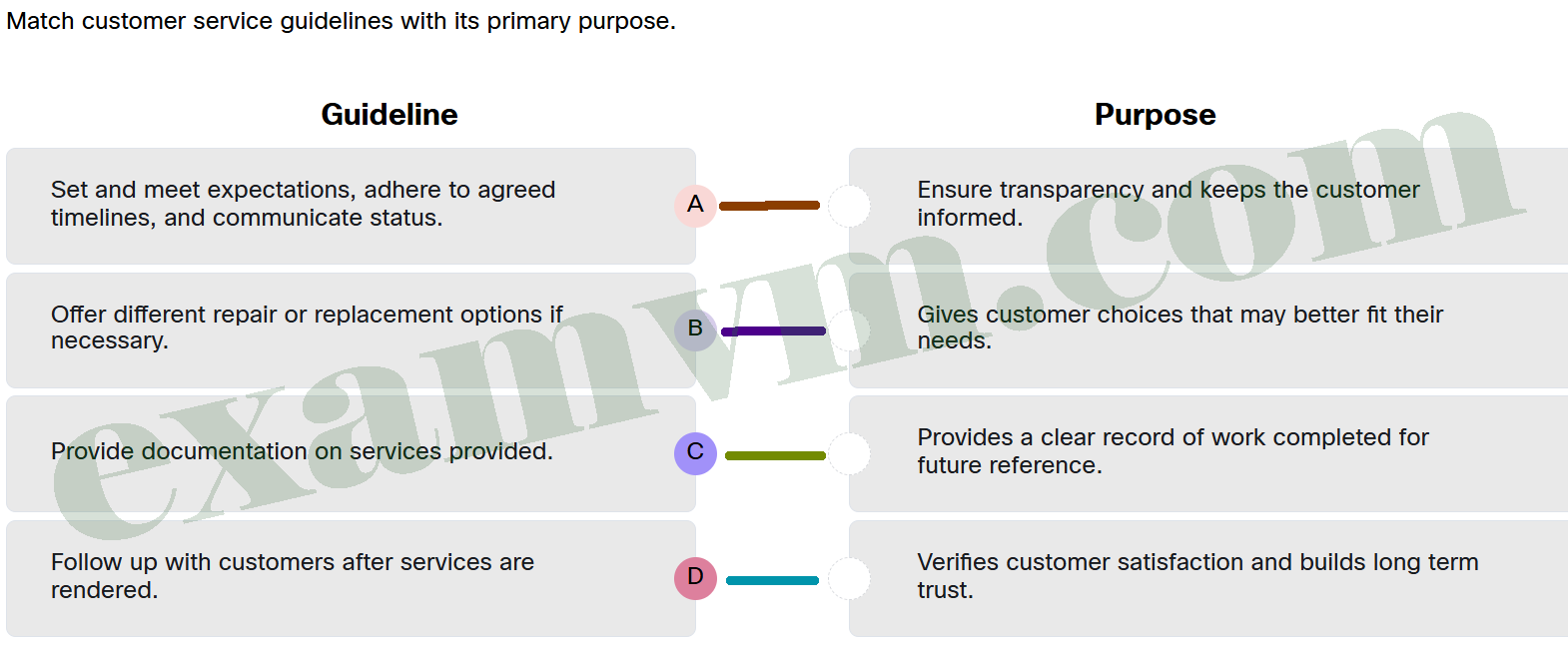
- Set and meet expectations, adhere to agreed timelines, and communicate status. ==> Ensure transparency and keeps the customer informed.
- Offer different repair or replacement options if necessary. ==> Gives customer choices that may better fit their needs.
- Provide documentation on services provided. ==> Provides a clear record of work completed for future reference.
- Follow up with customers after services are rendered. ==> Verifies customer satisfaction and builds long term trust.
3. Why is it important for technicians to communicate with customers throughout the ticket resolution process?
- To manage customer expectations, provide updates, and ensure customers feel heard and valued.
- To prioritize only low-priority tickets and postpone high-priority ones.
- To avoid working on tickets and focus on other tasks.
- To discourage customers from submitting future support requests.
4. Why is effective documentation valuable beyond solving the immediate issue?
- It creates a knowledge base that can assist both customers and technicians in the future.
- It reduces the time technicians need to spend on each call.
- It guarantees that customers will not experience similar issues again.
- It eliminates the need for follow-up calls with the customer.
5. After listening to a caller, a technician needs to place the caller on hold to check some information. What is the first step the technician should take before putting the customer on hold?
- Ask the caller to call back in 30 minutes.
- Ask the caller’s permission and identify approximately how long the hold will last.
- Alert the customer to the fact that the hold may take a long time because of a very large backup for the experienced technician needed.
- Alert the caller that if the call is dropped, someone will try to call them back.
6. What is a key tip for using active listening with a customer?
- Interrupt the customer as soon as you realize you have a question.
- Let the customer explain their problem fully before asking clarifying questions.
- Do not interject small phrases like “I see” or “Okay” to avoid interrupting the customer.
- Summarize the customer’s problem only if you are sure you understand it.
7. Match the help desk tasks, that can be performed by AI, with the description.
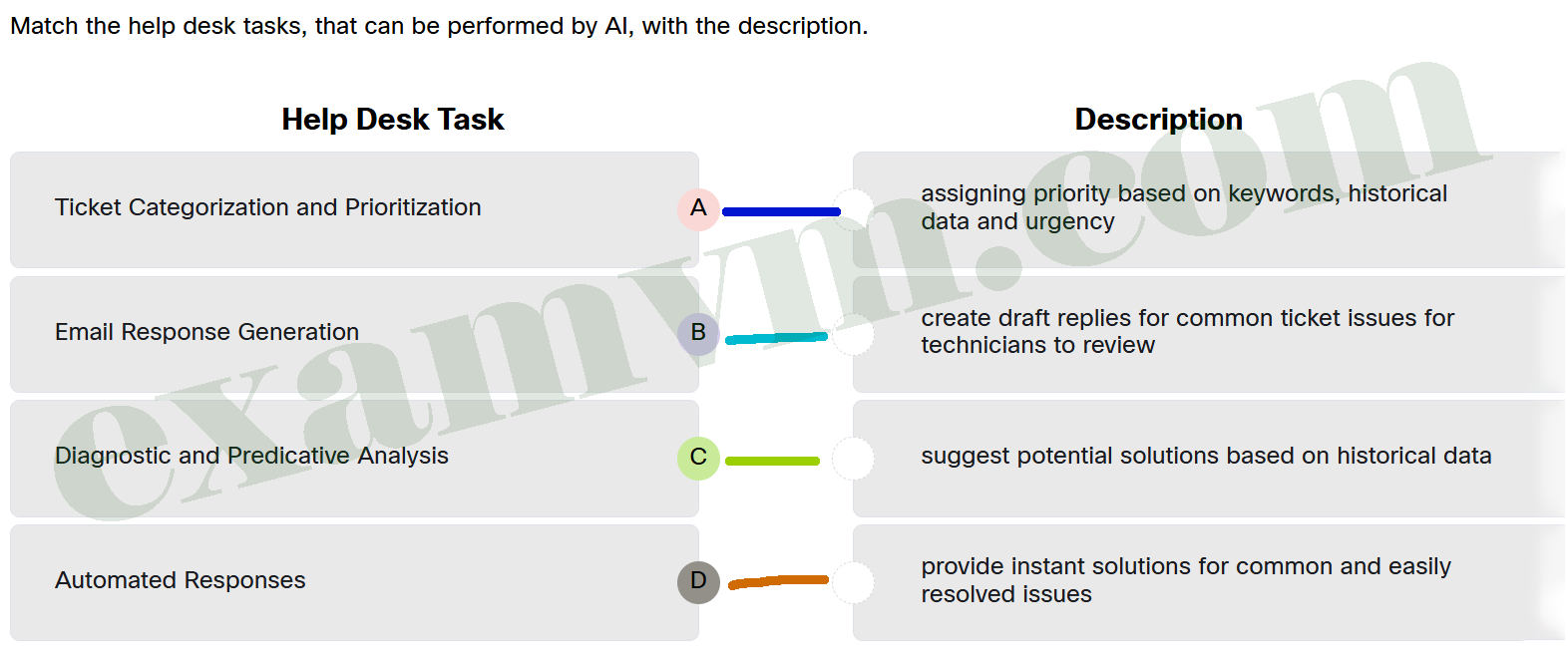
- Ticket Categorization and Prioritization ==> assigning priority based on keywords, historical data and urgency
- Email Response Generation ==> create draft replies for common ticket issues for technicians to review
- Diagnostic and Predicative Analysis ==> suggest potential solutions based on historical data
- Automated Responses ==> provide instant solutions for common and easily resolved issues
8. During troubleshooting, what step should the technician take if the first solution does not resolve the issue?
- Go back to step 1, redefine the issue, and look for overlooked details.
- Abandon the troubleshooting process and replace the device.
- Repeat the same solution multiple times to ensure a consistent result.
- Skip further investigation and escalate the issue immediately.
9. What is a key benefit of using Remote Access Software?
- It allows automatic software updates of critical programs to occur remotely.
- It provides remote security scanning with AI to detect security breaches as soon as possible.
- It allows IT support to connect to end user devices remotely to troubleshoot devices as if they were present.
- It provides a remote platform for management in multiple physical locations to evaluate employee work product.
10. What is an important step to take before starting a remote access session?
- Focus on the technician’s device compatibility, as the user’s device will automatically adjust once the session has started.
- Ensure the software works on both devices and communicate clear expectations about the session.
- Assume the user knows what to expect and begin troubleshooting immediately.
- The technician should avoid explaining steps and actions to save time during the session.
11. What safety best practice is used by technicians to protect sensitive hardware components from ESD?
- safety goggles / glasses
- multiple power supplies
- grounded mats
- extra CPU sockets
12. Match the remote access tool to the correct description.
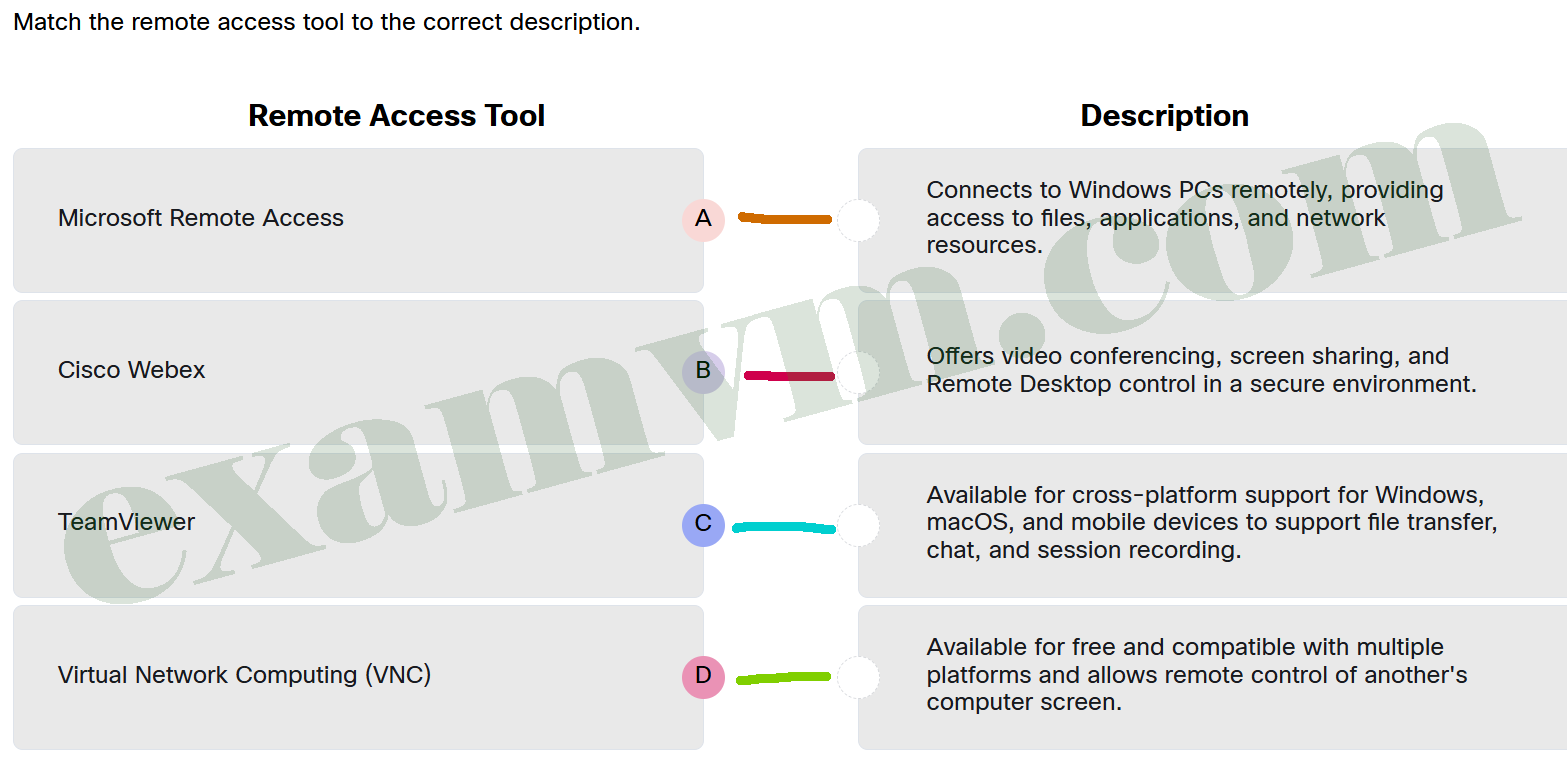
- Microsoft Remote Access ==> Connects to Windows PCs remotely, providing access to files, applications, and network resources.
- Cisco Webex ==> Offers video conferencing, screen sharing, and Remote Desktop control in a secure environment.
- TeamViewer ==> Available for cross-platform support for Windows, macOS, and mobile devices to support file transfer, chat, and session recording.
- Virtual Network Computing (VNC) ==> Available for free and compatible with multiple platforms and allows remote control of another’s computer screen.
13. A technician is assisting a customer who recently bought a new high-resolution monitor. They want a single cable that can deliver both video and audio to the display without needing separate connections. Their computer has multiple ports, including VGA, DVI, HDMI, and DisplayPort. Which video port would the technician recommend for the best compatibility with high-resolution video and built-in audio?
- VGA
- HDMI
- DVI-D
- DisplayPort
14. A user installs professional 3D modeling software on a mid-range laptop. The program loads but displays distorted shapes and runs extremely slowly. What is the most likely cause?
- The system has insufficient virtual memory.
- The screen resolution is too low for the application.
- The laptop only has integrated graphics, not a dedicated GPU.
- The disk is formatted in FAT32 instead of NTFS, causing issues.
15. A user reports that a new productivity application failed to install on the system. The support technician verifies that the system has enough disk space, but the installer still fails with a vague error. What should the technician check next?
- Whether the user is signed in with a cloud-based account.
- Whether the display resolution is set to recommended settings.
- Whether the processor architecture is compatible with the application.
- Whether the user has cleared their browser cache within the last 24 hours.
16. Match each e-waste action with the description of its purpose.
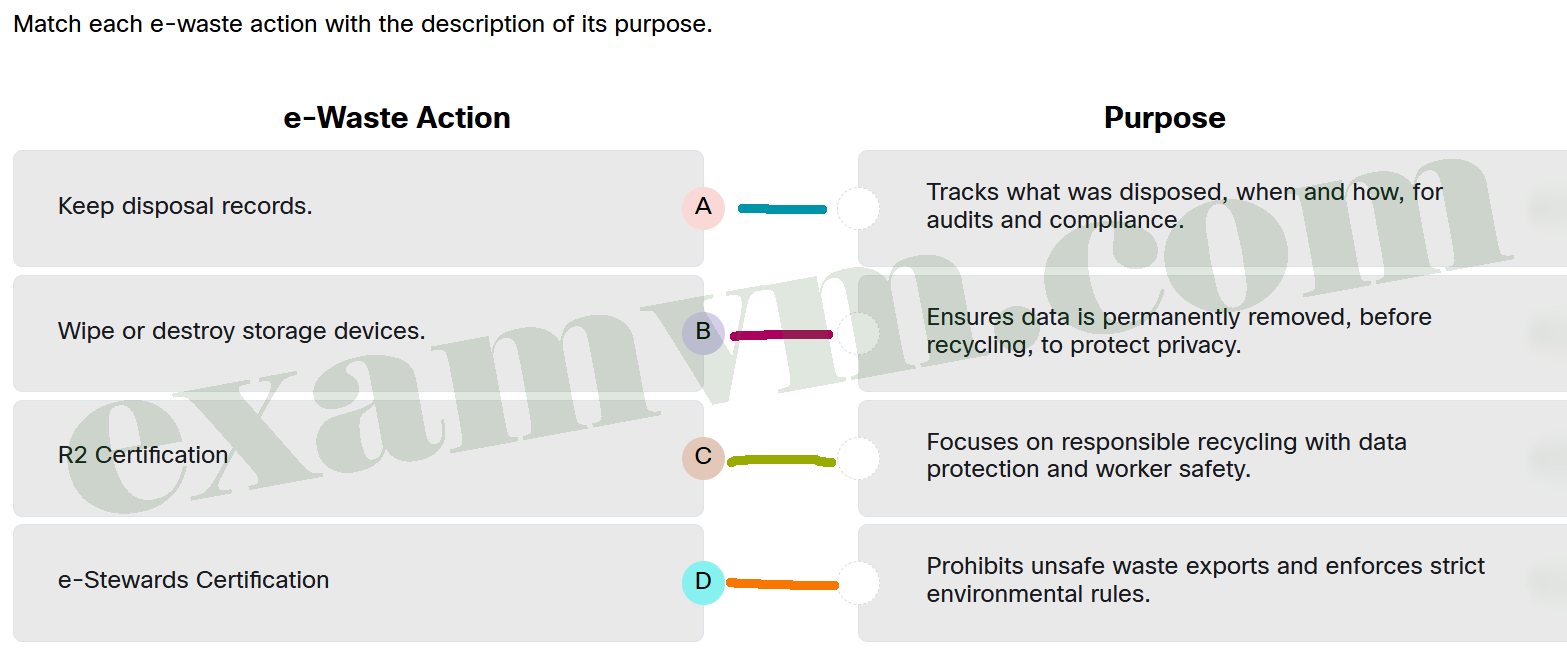
- Keep disposal records. ==> Tracks what was disposed, when and how, for audits and compliance.
- Wipe or destroy storage devices. ==> Ensures data is permanently removed, before recycling, to protect privacy.
- R2 Certification ==> Focuses on responsible recycling with data protection and worker safety.
- e-Stewards Certification ==> Prohibits unsafe waste exports and enforces strict environmental rules.
17. A technician is evaluating a custom-built desktop system that frequently shuts down under load. The internal components are compatible and properly installed, but the technician notes that the case is compact and located in an enclosed cabinet. What is the most likely cause of the shutdowns?
- The system is not grounded properly due to the case material being too confined to allow space for proper grounding.
- The limited airflow of the case is causing thermal shutdowns due to inadequate cooling.
- The motherboard form factor is not supported by the case.
- The power supply is not compatible with the form factor of the case.
18. A user installs a new CPU that is listed as compatible with the motherboard’s socket and chipset, but the system fails to boot. What is the most likely cause of the issue?
- The CPU cooler was not aligned correctly with the case dimensions.
- The power supply does not meet minimum wattage requirements.
- The RAM speed is not optimized for the new CPU.
- The motherboard BIOS version does not support the new CPU.
19. A user reports they cannot print, even though the printer is powered on, and connected by USB. Other users on the network can print just fine. What is the most likely cause of this issue?
- The printer is out of toner.
- The paper tray is overloaded.
- The print spooler service is disabled.
- The user’s computer may have the wrong printer selected or the driver is corrupted.
20. An IT technician is preparing several hard drives for disposal. What is the most effective way to ensure sensitive data cannot be recovered?
- Formatting the drives and deleting all files manually.
- Encrypting the drives and then deleting the encryption keys.
- Using approved data wiping software that meets standards like NIST 800-88 or physically destroying the drives.
- Creating multiple backups of all data to external secure locations, then deleting files from the drives before disposal.
21. A public school district is replacing hundreds of outdated laptops. The IT director wants to ensure the disposal process complies with privacy regulations and environmental best practices. Why is using a certified e-waste recycler the best approach?
- Certified e-waste recyclers follow strict standards for secure data destruction, component recovery, and hazardous material handling to protect both the environment and private information.
- Certified e-waste recyclers offer free services to all public institutions, making them the most cost-effective solution for disposing of large volumes of electronics.
- Certified e-waste recyclers guarantee that 100% of electronic components will be refurbished and resold, eliminating the need for any waste disposal.
- Certified e-waste recyclers remove hard drives, reuse metal parts, and dispose of remaining hardware in general waste services.
22. Why is it important for IT technicians to follow electrical safety guidelines when working with computer and printer hardware?
- It ensures all connected devices communicate correctly by maintaining proper voltage signaling.
- It minimizes the risk of hardware failure due to overheating from power mismatches.
- It helps avoid electrical fires, injuries, and equipment damage by ensuring safe handling and grounding.
- It allows technicians to safely swap components like AC adapters across different devices to maintain uptime.
23. A local community recently discovered that an informal recycling site nearby was burning old computers and electronic devices to extract valuable metals. Residents have started reporting unusual illnesses, and nearby crops have shown signs of poor growth. Why is the improper disposal and recycling of electronic waste (e-waste) such a serious concern for the community and environment?
- E-waste materials break down quickly, causing frequent contamination that spreads rapidly through the air.
- E-waste is biodegradable, leading to nutrient depletion in soil and affecting crop growth.
- Toxic substances like lead, mercury, and cadmium, can leak into soil and water, persisting for years and harming ecosystems and human health.
- E-waste disposal produces large amounts of biodegradable ash that can cause temporary contamination of local lakes.
24. What is an important process to follow before discarding a hard disk?
- Check the old drive for sensitive data and delete it if it exists.
- Verify that a strong password is required to access the old drive.
- Verify that the new replacement hard drive is encrypted.
- Ensure that the hard disk is wiped following approved methods.
25. What command is used to test whether a domain name can be resolved to an IP address for both IPv4 and IPv6?
- nslookup
- ipconfig / ifconfig
- ping
- traceroute
- netstat
26. Carlos enters a coffee shop and connects his tablet to the shop’s Wi-Fi network. After entering the correct password, his tablet is automatically assigned an IPv4 address, subnet mask, and default gateway. Which statement describes what has occurred?
- The DHCP client on the tablet contacted the ISP directly and received a public IPv4 address using DNS resolution.
- The tablet performed SLAAC to generate its own global IPv6 address, which is then translated by the router to access the IPv4 internet.
- The tablet received its network configuration from a DHCP server running on the coffee shop’s wireless router, which acts as both a DHCP client (to the ISP) and a DHCP server (for local clients).
- The coffee shop router manually assigned a set of static IP addresses to all potential client devices ahead of time, and each device uses MAC address filtering to select the correct IP configuration upon joining the network.
27. A user enters www.cisco.com in the web browser. Which statement describes what happens next, including the role of DNS and its caching behavior?
- The user’s browser immediately connects to www.cisco.com using a default public IP address, bypassing the need for DNS resolution.
- The DNS resolution process occurs only the first time a domain is created; after that, browsers permanently store the IP address associated with the domain.
- The client computer automatically connects to the DNS server every time a domain name is typed, even if it was recently visited, because the server only uses DNS caching.
- The DNS server is contacted first to translate www.cisco.com into its IP address, which the client then uses to initiate communication with the server; this address may be cached for future requests.
28. A user says their webcam shows a black screen during a video call, even though the camera is built-in. What is the most likely first step the support technician should guide them through?
- Reinstall the entire video conferencing app.
- Replace the webcam with an external USB model.
- Restart the Wi-Fi router and reconnect the device.
- Check if the lens is uncovered and the correct camera is selected in the app.
29. Which statement describes the role of the default gateway in a network?
- The default gateway allows a host to send traffic to other networks when the destination is outside the local subnet.
- The default gateway is a switch that receives traffic from external networks and sends it directly to devices on the local network.
- The default gateway ensures all devices on a network use the same MAC address when communicating outside the local network.
- The default gateway duplicates data packets and sends them to multiple possible next-hop routers to determine the most efficient path.
30. A hacker intercepts communication between a client and a server. The hacker modifies the traffic to make it appear as though the server is sending legitimate responses when, in reality, the hacker is posing as the server. This allows the hacker to access sensitive information from the client, such as login credentials. Which type of attack is the hacker most likely using in this scenario?
- DHCP spoofing
- port redirection
- buffer overflow attack
- man-in-the-middle attack
31. What is similar about the Thunderbolt3 and the USB Type-C cables?
- Both are multipurpose cables used to attach different kinds of peripherals.
- Both cable types look similar with two corners pushed in at an angle.
- Both are used exclusively to connect printers to macOS laptop computers.
- Both are used on every desktop PC and laptop.
32. Which statement describes a key limitation of using Local Users and Groups for user management in IT support?
- It requires internet access to function correctly.
- It does not synchronize users or settings across multiple devices.
- It forces real-time cloud application access across domains.
- It automatically updates user credentials across an organization’s network without letting users opt-in.
33. Why is Safe Mode essential for diagnosing problems on a Windows system?
- It automatically repairs all issues without user input.
- It allows the installation of third-party drivers for enhanced performance.
- It runs only critical system components while disabling non-essential services and third-party drivers.
- It provides access to all software installed on the system for thorough testing.
34. A user reports that the USB devices are not powering down when the computer enters sleep mode, leading to unnecessary battery drain. Additionally, the screen dims unexpectedly, making it difficult to read. What steps should be taken to resolve these issues?
- Disable all power-saving settings in the Control Panel to prevent any automatic adjustments.
- Reinstall the operating system to ensure all power management features are working correctly.
- Enable device power management in Device Manager under USB Root Hub properties and disable adaptive brightness in Display settings.
- Increase the screen brightness manually and avoid using any power management features to prevent dimming, ensuring the display remains at maximum brightness at all times
35. Which Windows tool allows a technician to view detailed hardware specifications while assisting with troubleshooting?
- Event Viewer, because it logs system activity and errors, including some related to hardware initialization and device startup.
- Task Manager, because it displays permanent hardware details and system configuration files.
- The ipconfig command, because it shows memory usage and real-time processor activity.
- System Information, because it provides a comprehensive summary of the computer’s hardware and system components.
36. A user contacts IT support because the user is unable to log in and has received a message “Your account has been locked. Please contact your administrator”. The technician confirms that the user is using a domain account. As an IT support technician, what is the correct way to unlock the user’s account?
- Use Local Users and Groups Manager to uncheck the “Account is locked out” box to assist the user most efficiently.
- Open Active Directory Users and Computers (ADUC), locate the user’s account, and uncheck the “Unlock account” option.
- Reset the user’s password using the password reset tool in Control Panel.
- Have the user wait 30 minutes until the system unlocks the account automatically.
37. A user reports that they cannot access the internet, and the support technician suspects it may be due to incorrect network settings. Which tool should the technician use to view the system’s network configuration?
- ping
- tracert
- netstat
- ipconfig
37. A user reports that the Mac screen appears too warm or yellow. What should the support technician do to resolve this issue?
- Check for display driver issues.
- Increase the screen brightness in System Settings > Displays.
- Turn off True Tone and check the Night Shift settings in System Settings > Displays.
- Restart the Mac in Safe Mode and then adjust the refresh rate in System Settings > Displays.
39. A network administrator notices that one of the company’s computers is being used to launch attacks against external targets without the user’s knowledge. The system seems to be acting as a base for unauthorized internet activity. What type of Trojan horse is most likely responsible?
- Remote-access
- File Transfer Protocol (FTP)
- Destructive
- Proxy
40. How can a user typically access the command line interface (CLI) in a GUI-based operating system like macOS or Linux?
- A user can restart the computer in safe mode.
- A user can press Ctrl+Alt+Delete.
- A user can use a terminal emulator application.
- A user can disconnect any external devices.
41. Which statement describes the importance of understanding display settings in macOS?
- It allows technicians to install third-party applications.
- It helps diagnose and resolve common issues such as blurry text and incorrect resolution.
- It ensures that all display hardware components are recognized and configured optimally.
- It guarantees that the Mac will always have the latest operating system installed and functioning properly.
42. What is the purpose of Gnome-keyring on Ubuntu Linux?
- It manages and stores security credentials such as passwords, encryption keys, and digital certificates, allowing users and applications to securely access these credentials when needed.
- It monitors system activity and optimizes performance by adjusting system settings based on resource usage, improving the responsiveness of applications and reducing system lag during heavy tasks.
- It automatically updates all system security protocols, including antivirus software and firewalls, to protect against external threats and ensure that the system is always protected against the latest vulnerabilities.
- It provides a secure cloud backup solution for user data, automatically syncing and storing files in a remote cloud service to protect against data loss in case of hardware failure or accidental deletion.
43. What does root access allow users to do in Linux and other Unix-like operating systems?
- Control system processes in a restricted manner.
- Run all basic user commands without restrictions.
- Access only the files and settings of their own user account.
- Modify system configurations, install or remove software, and manage user permissions.
44. What is the primary function of the kill command in Linux?
- to temporarily suspend running processes
- to change the priority of running processes
- to end processes based on their process ID
- to list all the processes running on the system that may be harmful
45. A network is experiencing slow response times, and some services are completely unavailable. The network administrator investigates and discovers that the cause is a flood of datagrams being sent at a rate far exceeding the network’s capacity. Additionally, some of the incoming datagrams are malformed, causing the receiving systems to crash or slow down significantly. What are the two major types of Denial of Service (DoS) attacks described in this scenario?
- brute-force attack and spoofing attack
- ping of death and buffer overflow attack
- distributed denial of service (DDoS) and man-in-the-middle attack
- overwhelming quantity of traffic and maliciously formatted packets
46. What should an IT support technician recommend if a customer’s mobile device is lost or stolen and attempts to locate it have failed?
- Perform a factory reset on the device to wipe all data immediately, ensuring no one can access the information, even if the device is found later.
- Use the remote lock and remote wipe features to secure the device and protect personal information.
- Ask the customer to contact their mobile carrier to deactivate the SIM card, which will prevent calls and data usage, making the device useless to whoever finds it.
- Advise the customer to wait a few days in case the device turns up, as many lost devices are often recovered or returned by honest people.
47. Why do many healthcare, legal, and government offices still use faxing even with more modern communication options available?
- Faxing is fast, secure, and does not require internet access.
- Fax machines are cheaper to operate than email or cloud services.
- Fax transmissions always provide better image quality than digital scans.
- Faxing allows two-way communication through text and voice in a single transmission.
48. A technician is assembling a new desktop computer. While connecting the power supply cables, the technician notices that one connector fits only one way into the motherboard socket, preventing improper installation. Which feature of power supply connectors is responsible for this behavior?
- multi rail
- slotted
- keying
- molex
49. A support technician is helping a user who cannot hear any sound from wireless headphones during a virtual meeting. What is the most likely reason?
- The meeting software does not support headphones.
- The headphones are plugged into the wrong USB port.
- The headphones are not properly connected via Bluetooth.
- The computer’s speakers are likely to be physically damaged.
50. What happens if an iOS user forgets the passcode?
- The device will be locked permanently, and no data can be recovered.
- The user will need to perform a full restore from an iTunes or iCloud backup to regain access.
- The user can easily retrieve the forgotten passcode by logging into their Apple ID and iCloud account, which will display the current passcode.
- The device will automatically send a recovery link to the user’s registered email address, allowing them to reset the passcode without losing any data.
51. Which statement explains why Android is widely used across various types of devices?
- It works on smartphones made by Google and the Open Handset Alliance.
- It is closed source, allowing Google to control how it functions on all devices.
- It is an open-source, Linux-based system that developers can customize for different devices.
- It was the first operating system specifically designed for smartphones and tablets, making it the default choice for all modern mobile devices.
52. A regional healthcare network wants to share patient data securely among its affiliated hospitals while ensuring compliance with strict healthcare regulations like HIPAA. Which cloud model would best meet their needs?
- Public Cloud
- Private Cloud
- Community Cloud
- Hybrid Cloud
53. Which cloud storage service is primarily designed for providing object data storage in corporate cloud deployment?
- Google Drive
- OneDrive
- Dropbox
- AWS (Amazon Web Services) S3
54. What is the primary role of a hypervisor in virtualization?
- It creates an abstraction layer on top of the physical hardware, allocating resources to virtual machines (VMs).
- It adds physical servers to accommodate virtual machines and effectively distributing workloads among VMs.
- It provides a backup solution for virtual machines, ensuring all data is automatically stored in cloud storage.
- It installs and manages the operating system on virtual machines to ensure compatibility with hardware components.
55. Match each term related to virtualization with its correct description.
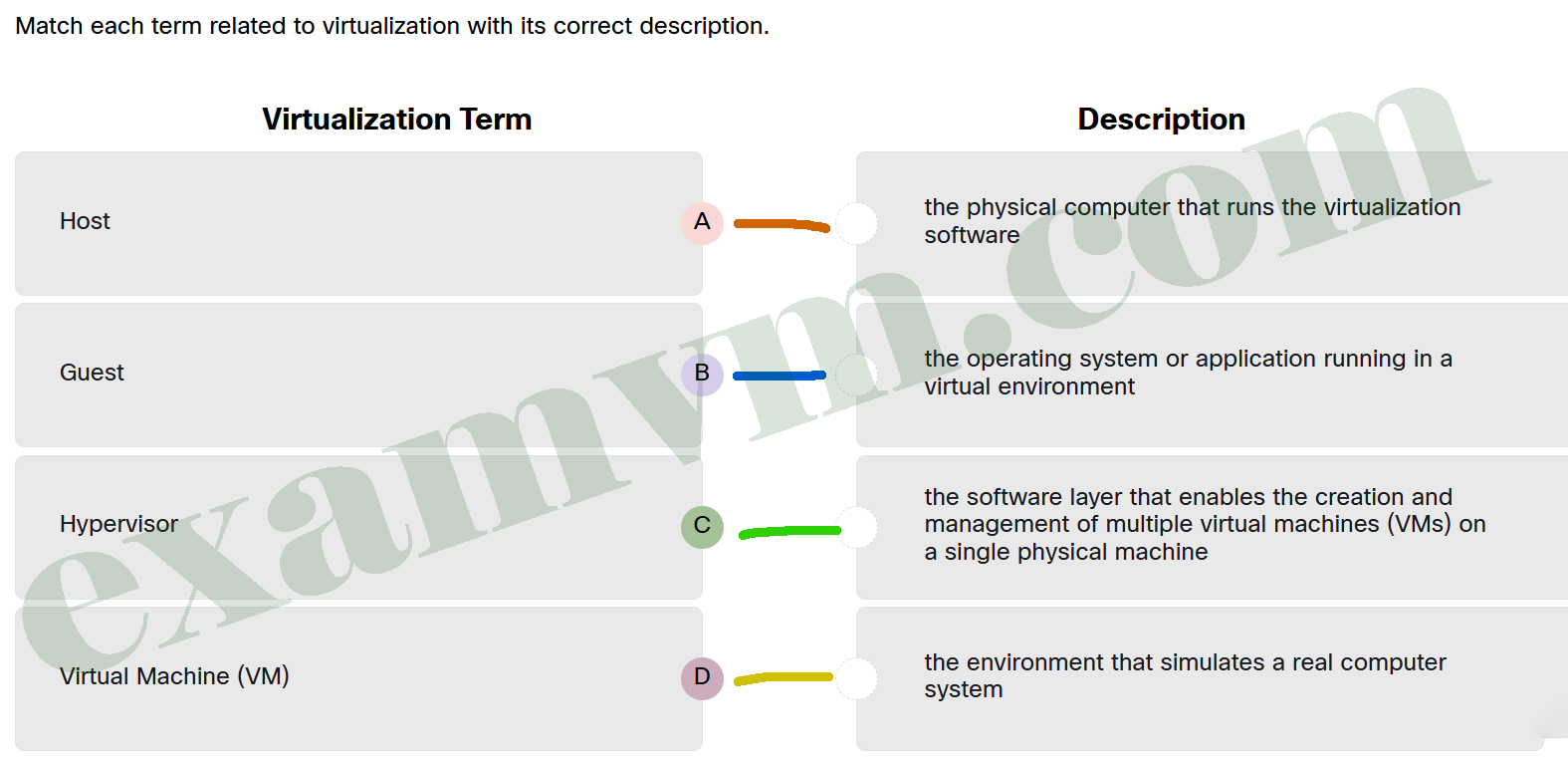
- Host ==> the physical computer that runs the virtualization software
- Guest ==> the operating system or application running in a virtual environment
- Hypervisor ==> the software layer that enables the creation and management of multiple virtual machines (VMs) on a single physical machine
- Virtual Machine (VM) ==> the environment that simulates a real computer system
56. Match the cloud computing service, defined by NIST, to the description.
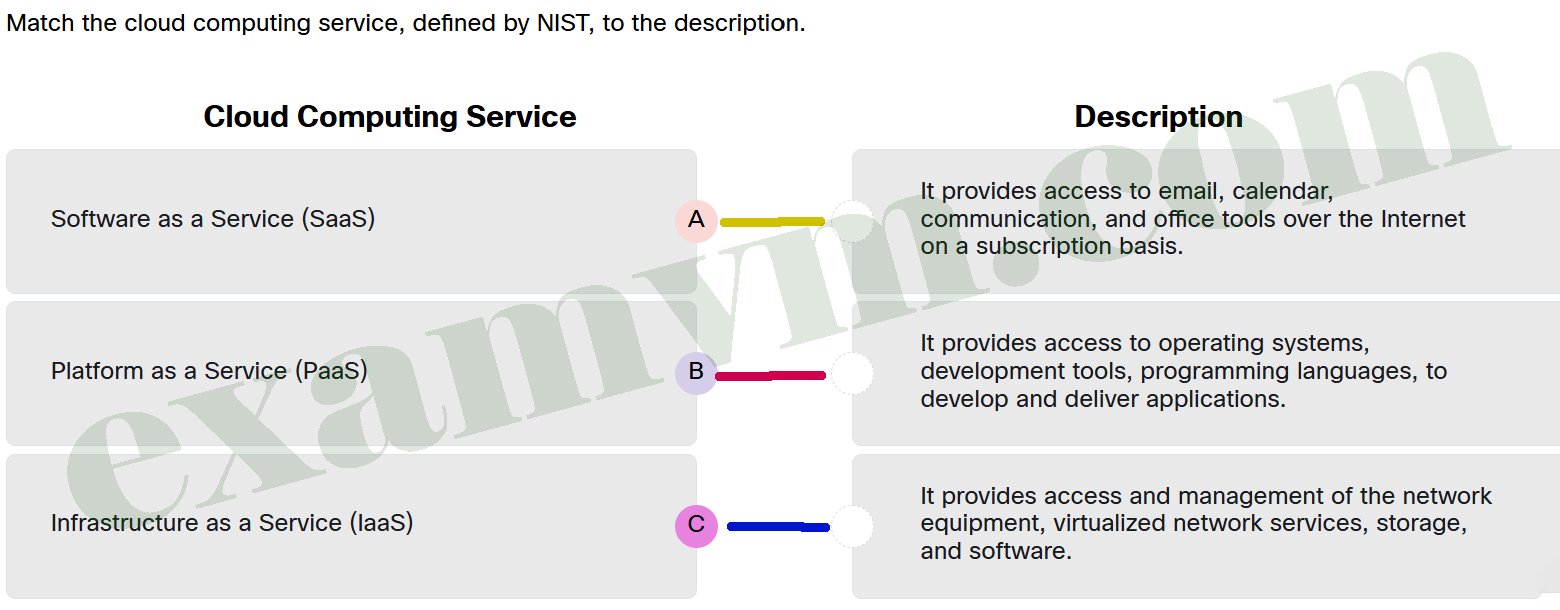
- Software as a Service (SaaS) ==> It provides access to email, calendar, communication, and office tools over the Internet on a subscription basis.
- Platform as a Service (PaaS) ==> It provides access to operating systems, development tools, programming languages, to develop and deliver applications.
- Infrastructure as a Service (IaaS) ==> It provides access and management of the network equipment, virtualized network services, storage, and software.
57. The IT department of a corporation is considering adding cloud computing services to supplement their data center infrastructure. The two objectives for this expansion are to retain critical business information in the local data center while leveraging the cloud service for global presence as well as fault tolerance implementation. Which cloud model should the IT department choose?
- Public cloud
- Hybrid cloud
- Private cloud
- Community cloud
58. During a recent cybersecurity incident involving unauthorized access to sensitive employee data, the Computer Security Incident Response Team (CSIRT) was formed to manage the response. To effectively handle the situation, several groups within the organization were involved. Which group is responsible for reviewing incident policies and ensuring compliance with guidelines?
- IT Support
- Management
- Legal Department
- Public Affairs and Media Relations
59. Which statement best describes an attack vector?
- An attack vector is a method used to unencrypt sensitive data on a network.
- An attack vector is a security measure implemented to protect corporate networks from unauthorized access.
- An attack vector is a type of malware designed to steal user credentials.
- An attack vector is a path by which a threat actor can gain access to a server, host, or network.
60. An attacker calls an employee pretending to be an IT technician who urgently needs access to the company network to resolve a critical issue. The attacker manipulates the employee by claiming they need to perform some troubleshooting steps, using the name of a senior executive to invoke authority. The employee, trusting the caller, provides the required access credentials. What type of attack is being used in this scenario?
- phishing attack
- spear-phishing attack
- man-in-the-middle attack
- social engineering attack
61. Why are Service Level Agreements (SLAs) important in help desk operations?
- SLAs focus on minimizing the number of tickets assigned to each technician.
- SLAs only apply to high-priority tickets and are not used for lower-priority issues.
- SLAs define the maximum number of tickets a technician can handle per day.
- SLAs set clear expectations for both customers and support teams.
62. Why is it important to cross-reference AI responses with other sources?
- AI tools often enforce privacy laws automatically.
- AI tools eliminate the need for ethical considerations.
- AI responses depend on the input and available data, which may not always be accurate.
- AI responses are always up-to-date and reliable, there is no need to cross-reference AI responses.
63. Which statement best summarizes the troubleshooting process outline?
- Solving problems intuitively based on past experiences without structured steps.
- Relying exclusively on preventive maintenance to avoid the need for troubleshooting.
- Following a systematic eight-step approach, including defining the problem, gathering information, and documenting the resolution.
- Prioritizing data protection above all else, without the need for problem identification, planning, or documentation of observed issues.
64. Which action describes a comprehensive approach to resolving common hardware issues in IT support?
- checking power connections and replacing faulty hardware immediately
- performing firmware updates regularly alongside reviewing hardware compatibility
- focusing primarily on software updates while monitoring device status indicators as needed
- diagnosing with Device Manager, checking compatibility, and managing firmware updates carefully
65. What should a user do if the antivirus scan fails to remove a persistent malware infection from the computer?
- Restart the computer and then continue usage.
- Perform a quick scan and then continue usage.
- Update the antivirus software to ensure it has the latest malware definitions.
- Ignore the infection and continue using the computer as normal if no pop-ups are seen.
66. Which statement explains the role of drivers?
- Drivers are optional software add-ons that improve device speed and are only required for high-performance components like GPUs.
- Drivers act as firmware updates for hardware and are always embedded in the device.
- Drivers are translator programs that allow the OS to communicate with hardware.
- Drivers serve as backup operating systems for external devices.
67. A user installs a graphic-intensive application on the work laptop, but it frequently crashes or freezes. The laptop meets the minimum RAM and disk space requirements. What is the most likely cause of the issue?
- The user did not disable background applications during installation.
- The application was not installed with administrator privileges.
- The laptop is running an outdated version of the operating system.
- The integrated GPU on the laptop does not meet the requirements of the applications.
68. A user says they cannot access their external drive and they receive an “Access Denied” error message. What should be the first step in troubleshooting?
- Check for faulty cables or ports.
- Reformat the drive and restore from backup.
- Try connecting the drive to a different computer.
- Verify the drive is not write-protected and check permissions.
69. An IT support technician is helping a remote employee who reports slow connectivity to a company server. The technician suspects the issue lies somewhere along the path between their computer and the server. Which command-line tool should be used to follow the path and identify where delays might be occurring?
- ping
- netstat
- tracert
- ipconfig
70. In order to strengthen security, a company has decided to use MFA to achieve more secure connectivity to the system. What is the function of MFA?
- Approving the identity and job function for each employee.
- Proving identity with multiple sources such as passwords and biometrics specific to the user.
- Proving identity by calculating multiple new passwords based on assigning a new IP address for the employee’s mobile device.
- Proving identity with a current picture using the employee’s mobile camera function.
71. Maria is a staff member at a small business. One morning, she forgets the password to her work computer. The computer is not connected to a domain, and she cannot log in. As an on-site IT support technician, what is the most appropriate way to help Maria regain access?
- Have Maria try to reset her password using the “Forgot password” link on the login screen.
- Use Active Directory Users and Computers (ADUC) to reset her domain account password.
- Log in with an administrator account and use the Local Users and Groups Manager to reset Maria’s password.
- Instruct Maria to wait until the system unlocks her account automatically after the time limit and then log in again.
72. What is one key advantage of mapping a shared drive using the SMB protocol on a local network?
- It allows users to access cloud-based applications without logging in.
- It automatically encrypts all shared files with end-to-end security.
- It makes shared folders appear in File Explorer, allowing easy access to team files.
- It moves all shared files to the user’s desktop to avoid network usage.
73. A company’s security team uses the Social Engineering Toolkit to conduct a test on their employees. The goal is to simulate an attack that attempts to manipulate employees into revealing sensitive information or performing actions that could compromise the network. As part of the test, the security team designs a scenario where an attacker impersonates an executive and asks an employee for confidential data over the phone. Why is it important for the company to educate its employees about social engineering risks and develop strategies for identity validation?
- to ensure employees can identify phishing emails and phone calls more easily
- to help employees recognize signs of network intrusions from malicious software
- to prevent unauthorized access by attackers who use deception to manipulate employees into disclosing sensitive information
- to make sure employees understand how to prevent viruses from spreading through the network and train them on proper security protocol
74. Match the mobile application with the appropriate application category.
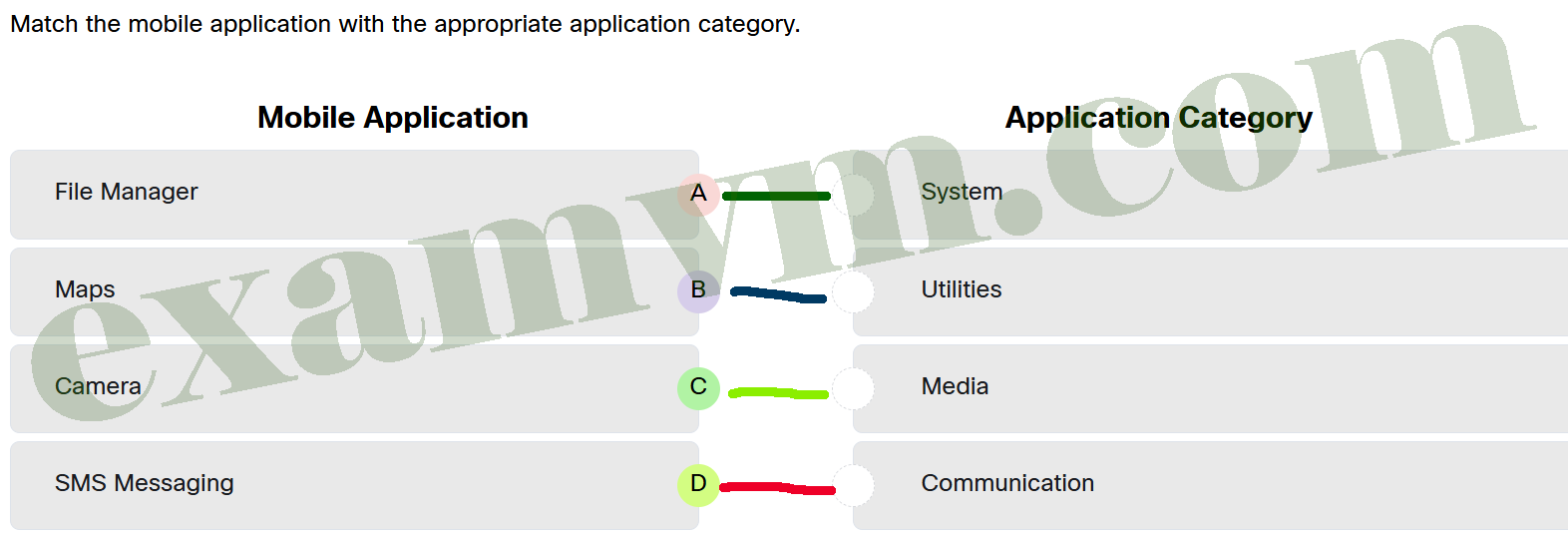
- File Manager ==> System
- Maps ==> Utilities
- Camera ==> Media
- SMS Messaging ==> Communication
75. What is the primary purpose of Mobile Device Management (MDM) in an organization?
- to remotely monitor, secure, and optimize mobile devices
- to provide faster internet connections on any mobile devices
- to ensure only company-owned devices can connect to the network
- to track employee locations using their company-owned mobile devices
76. Match the mobile connectivity options with their descriptions.
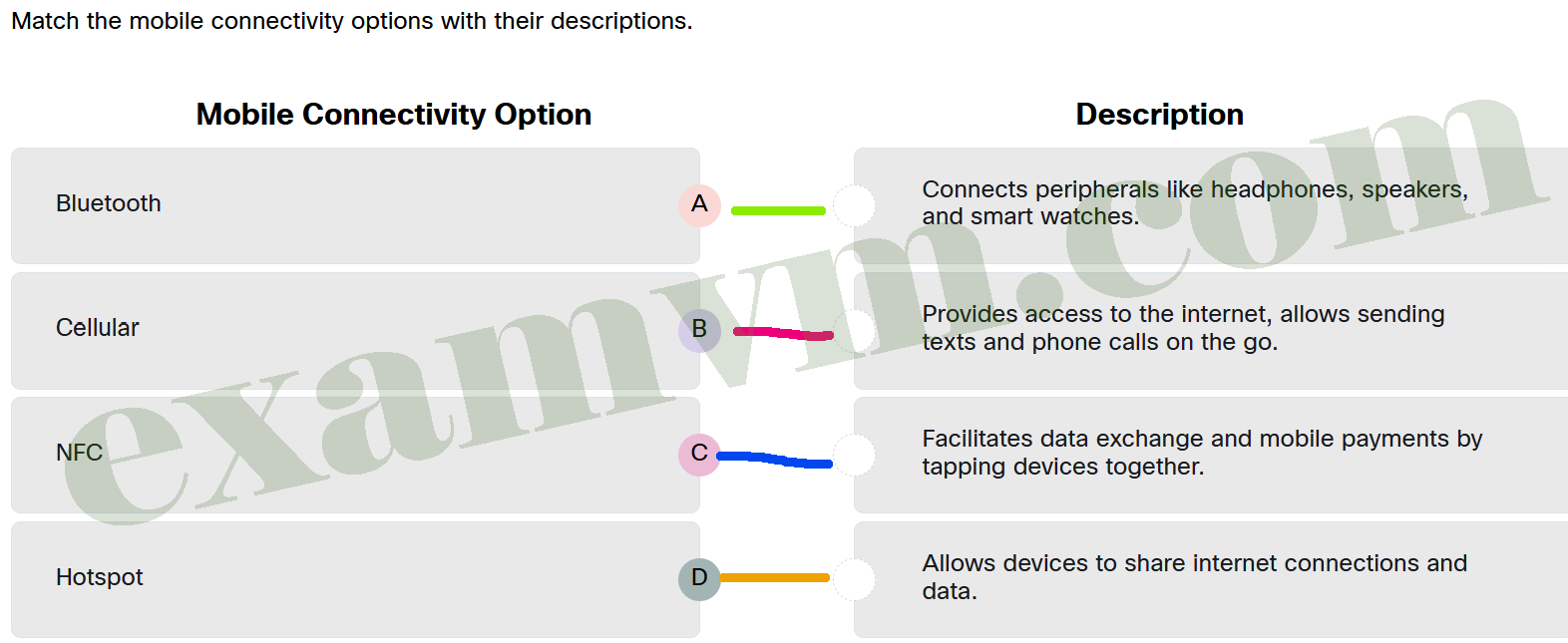
- Bluetooth ==> Connects peripherals like headphones, speakers, and smart watches.
- Cellular ==> Provides access to the internet, allows sending texts and phone calls on the go.
- NFC ==> Facilitates data exchange and mobile payments by tapping devices together.
- Hotspot ==> Allows devices to share internet connections and data.
77. Match the cloud model to the description.
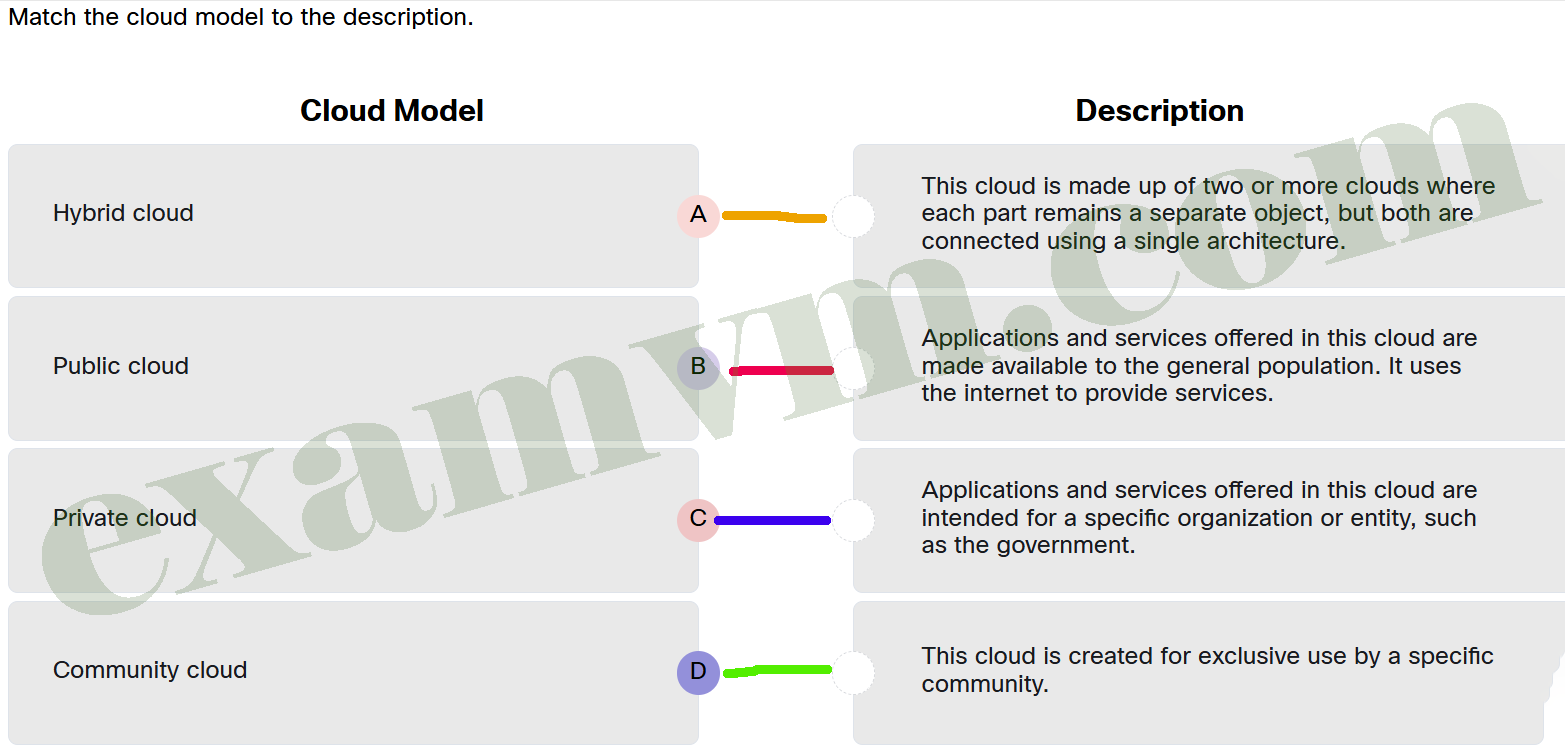
- Hybrid cloud ==> This cloud is made up of two or more clouds where each part remains a separate object, but both are connected using a single architecture.
- Public cloud ==> Applications and services offered in this cloud are made available to the general population. It uses the internet to provide services.
- Private cloud ==> Applications and services offered in this cloud are intended for a specific organization or entity, such as the government.
- Community cloud ==> This cloud is created for exclusive use by a specific community.
78. ABC Corp is implementing new guidelines for its employees to enhance data security practices across the organization. The management emphasizes the importance of a structured framework to govern how sensitive data is accessed, shared, and stored. Which policy would best help ensure that employees understand the correct use of company devices and prevent unauthorized activities that could compromise security?
- Password Policy
- Confidentiality Policy
- Acceptable Use Policy
- Incident Response Policy