Module 1 Customer Service in IT Support 1.4.2 Quiz Exam Answers
Module 1 Customer Service in IT Support 1.4.2 Quiz Exam Answers
The Module 1: Customer Service in IT Support – 1.4.2 Quiz Exam Answers section provides students with essential guidance on the principles of effective customer communication, professionalism, empathy, and problem-solving within an IT support environment. This introduction helps learners understand how to interact positively with users, manage expectations, document issues accurately, and deliver high-quality support. By reviewing these answers, students can strengthen their customer-service skills—an important foundation for success in any IT support role.
1. Which task is a key responsibility of a help desk technician when handling a support request?
- Escalating all issues to higher-level IT teams.
- Creating and managing trouble tickets for unresolved issues.
- Limiting contact methods to email only.
- Resolving issues without gathering additional information from users.
When a support request requires further action, help desk technicians create and manage trouble tickets to track the issue until it’s resolved.
2. Match each step of the help desk support process with its description:
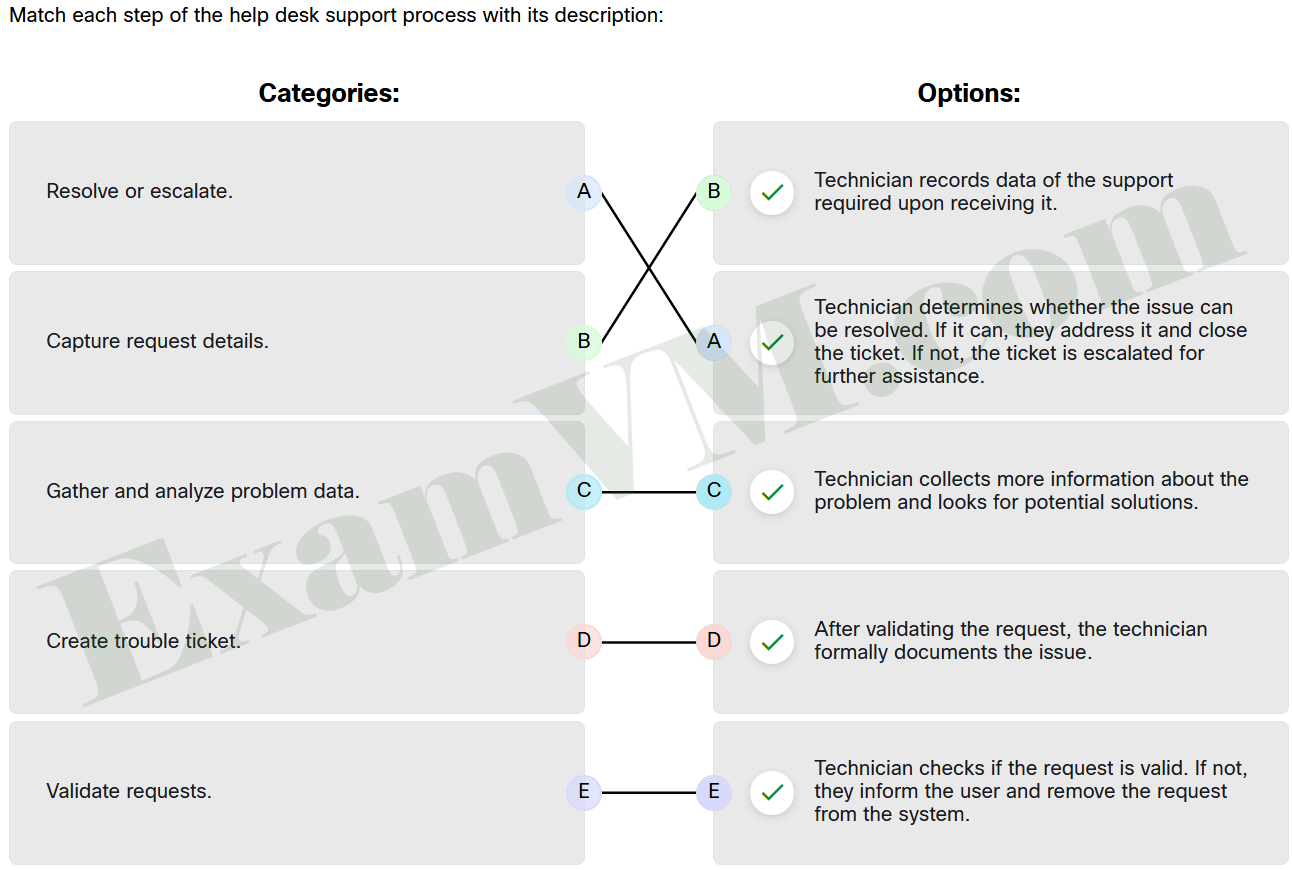
- Gather and analyze problem data. ==> Technician collects more information about the problem and looks for potential solutions.
- Validate requests. ==> Technician checks if the request is valid. If not, they inform the user and remove the request from the system.
- Capture request details. ==> Technician records data of the support required upon receiving it.
- Create trouble ticket. ==> After validating the request, the technician formally documents the issue.
- Resolve or escalate. ==> Technician determines whether the issue can be resolved. If it can, they address it and close the ticket. If not, the ticket is escalated for further assistance.
3. What is the main purpose of prioritizing support tickets in queue management?
- To reduce the total number of support tickets submitted.
- To delay low-priority tickets indefinitely.
- To allow technicians to choose which tickets they want to handle first, clearing tickets at a quicker rate.
- To ensure high-priority issues are addressed quickly, according to Service Level Agreements (SLAs).
The primary purpose of prioritizing tickets is to make sure that high-impact issues are resolved promptly, as specified by Service Level Agreements (SLAs). By assigning priority levels based on urgency and impact, support teams can manage customer expectations and address critical issues quickly and efficiently. This structured approach helps technicians stay organized, keeps operations running smoothly, and ensures that customers feel informed and valued throughout the support process.
4. Match the common features of most ticketing systems with their descriptions.
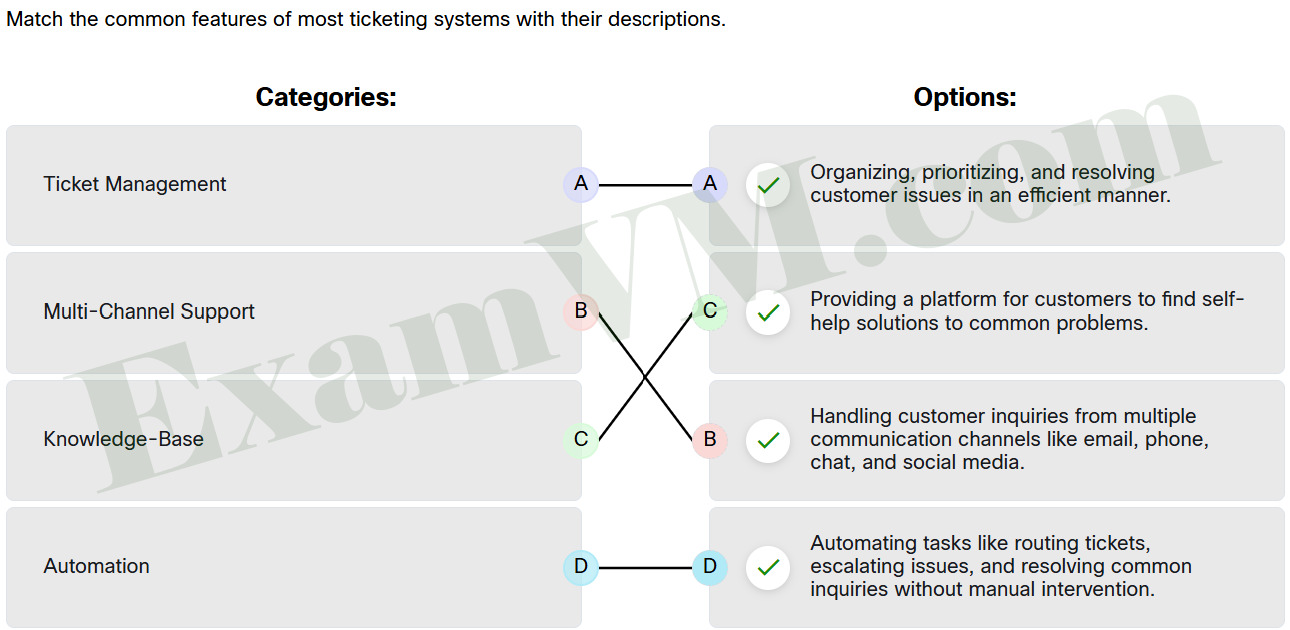
- Ticket Management ==> Organizing, prioritizing, and resolving customer issues in an efficient manner.
- Automation ==> Automating tasks like routing tickets, escalating issues, and resolving common inquiries without manual intervention.
- Knowledge-Base ==> Providing a platform for customers to find self-help solutions to common problems.
- Multi-Channel Support ==> Handling customer inquiries from multiple communication channels like email, phone, chat, and social media.
5. Which statement is true regarding free-form fields in help desk tickets?
- Free-form fields should be filled with system-generated data only.
- Free-form fields are used for entering descriptive information and require clear, concise language.
- Free-form fields are not visible to other technicians or managers.
- Free-form fields should use complex, descriptive language and longer sentences for improved clarity.
Free-form fields are intended for help desk technicians to provide descriptive information about the issue or situation. It is important to use clear, concise language to ensure the information is easily understood by other technicians and managers. Always check spelling, grammar, and style to maintain professionalism and clarity.
6. How do Service Level Agreements (SLAs) and Key Performance Indicators (KPIs) work together in help desk operations?
- SLAs are used solely to define response times, while KPIs track the number of tickets technicians can resolve each day.
- SLAs focus on managing customer expectations through clear communication, while KPIs measure the efficiency and effectiveness of ticket management.
- SLAs are only relevant for high-priority tickets, while KPIs focus on resolving low-priority tickets at a much quicker rate.
- SLAs are about managing team workload, while KPIs track customer satisfaction without considering response times or the order of urgency of a help desk ticket.
SLAs are crucial for setting clear expectations with customers, ensuring that high-priority issues are addressed quickly and that transparent communication is maintained. KPIs provide data that helps track the performance of the help desk team, focusing on efficiency and effectiveness over time. By combining SLAs and KPIs, help desk teams can improve service delivery and customer satisfaction through better performance monitoring and expectation management.
7. What skill is critical for technicians to effectively manage multiple support tickets at once, especially when dealing with high-priority and complex issues?
- strong verbal and written communication skills
- time management and organizational skills
- technical knowledge of all systems
- ability to work without supervision
Time management and organizational skills are essential for handling multiple tickets efficiently. These skills help technicians prioritize tasks, balance various complexities, and maintain high-quality service without becoming overwhelmed.
8. Match each ticket management technique with its primary benefit.
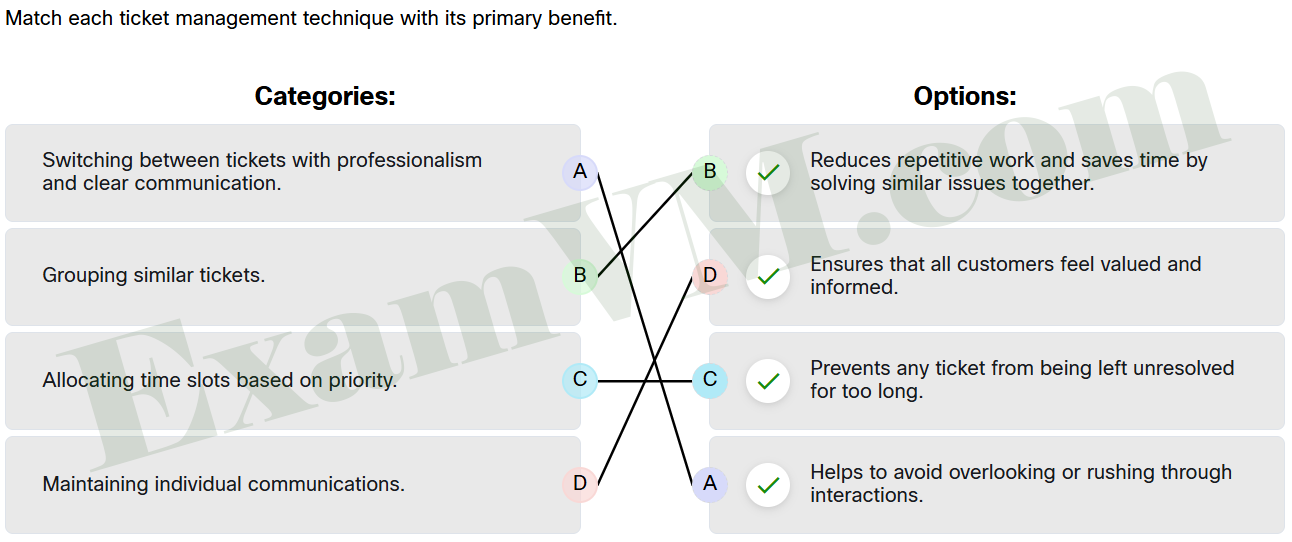
- Switching between tickets with professionalism and clear communication. ==> Helps to avoid overlooking or rushing through interactions.
- Allocating time slots based on priority. ==> Prevents any ticket from being left unresolved for too long.
- Grouping similar tickets. ==> Reduces repetitive work and saves time by solving similar issues together.
- Maintaining individual communications. ==> Ensures that all customers feel valued and informed.
9. How do AI tools improve ticket assignment in support teams?
- by assigning all tickets to the same technician for consistency
- by randomly assigning tickets to available technicians in a timely manner
- by intelligently assigning tickets based on technician expertise, workload, and availability
- by assigning only high-priority tickets to technicians with the least workload in a timely manner
AI tools optimize ticket assignment by considering each technician’s expertise, current workload, and availability, ensuring that tickets are handled by the most qualified personnel. This targeted assignment improves response times and overall service quality.
10. How does the “Know, Relate, and Understand” approach enhance help desk support?
- It focuses on resolving technical issues as quickly as possible.
- It involves personalizing interactions by using users’ preferred names, finding common ground, and tailoring explanations.
- It eliminates the need for questioning and summarizing during support calls.
- It prioritizes relationships and communication while focusing on using only closed-ended questions to diagnose problems.
The “Know, Relate, and Understand” approach is all about building a positive connection with users by personalizing the interaction. This includes addressing them by their preferred names, establishing rapport through shared experiences, and adjusting your communication to match their technical understanding.
11. What is the difference between open-ended and closed-ended questions in help desk support?
- Open-ended questions allow users to explain the problem in their own words, while closed-ended questions provide quick, direct answers to specific facts.
- Open-ended questions require users to provide brief, one-word responses, while closed-ended questions encourage detailed explanations of all the problems.
- Open-ended questions are only useful for network problems, while closed-ended questions work better for software-related issues.
- Both open-ended and closed-ended questions serve the same purpose in diagnosing issues by prompting detailed user responses.
Open-ended questions allow users to elaborate on their issues, providing more context, which is helpful for understanding the full scope of a problem. Closed-ended questions are designed to gather specific, concise information, typically answered with a yes, no, or short response, which helps confirm details or narrow down potential causes.
12. Match the scenario with the correct active listening response and follow-up question.
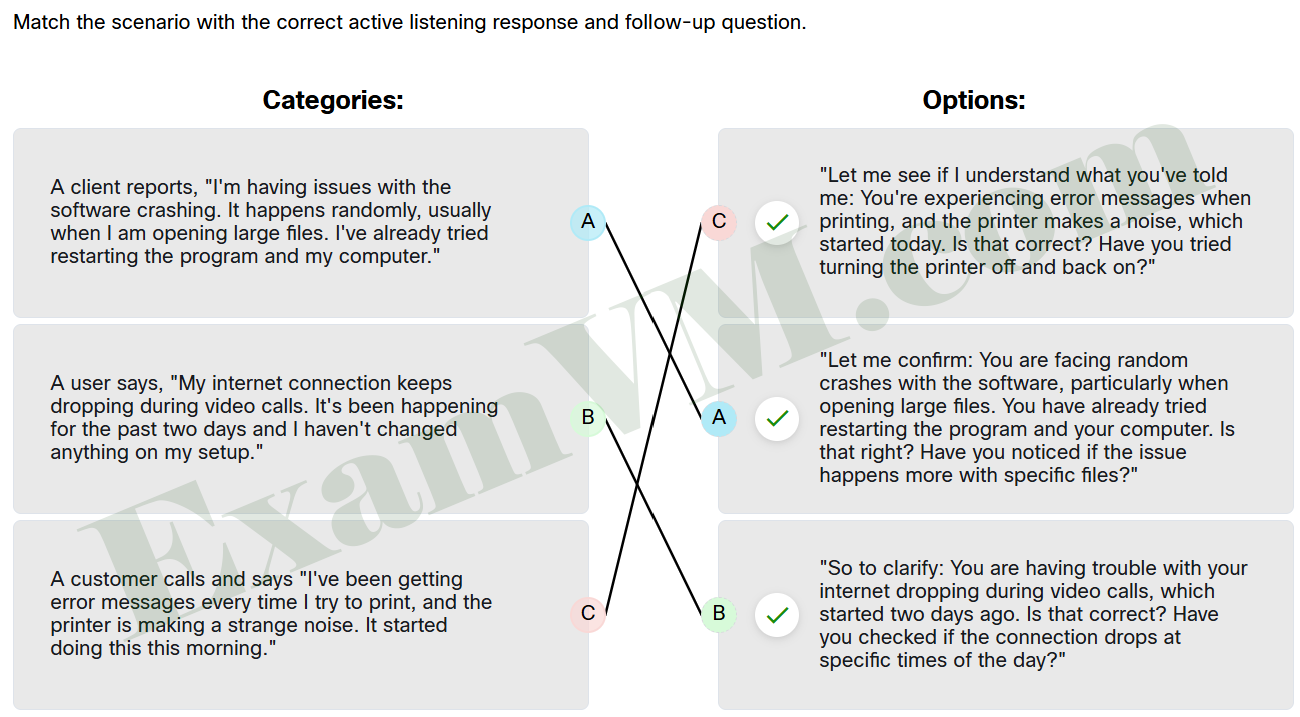
- A client reports, “I’m having issues with the software crashing. It happens randomly, usually when I am opening large files. I’ve already tried restarting the program and my computer.” ==> “Let me confirm: You are facing random crashes with the software, particularly when opening large files. You have already tried restarting the program and your computer. Is that right? Have you noticed if the issue happens more with specific files?”
- A user says, “My internet connection keeps dropping during video calls. It’s been happening for the past two days and I haven’t changed anything on my setup.” ==> “So to clarify: You are having trouble with your internet dropping during video calls, which started two days ago. Is that correct? Have you checked if the connection drops at specific times of the day?”
- A customer calls and says “I’ve been getting error messages every time I try to print, and the printer is making a strange noise. It started doing this this morning.” ==> “Let me see if I understand what you’ve told me: You’re experiencing error messages when printing, and the printer makes a noise, which started today. Is that correct? Have you tried turning the printer off and back on?”
13. Which technique is essential when handling customer calls professionally?
- Place customers on hold without informing them.
- Interrupt the customer who is expressing a concern if you need to transfer them.
- Transfer customers to level two technicians without notifying the customer.
- Handle customers with respect and prompt attention.
The correct approach is to always treat customers with respect and address their needs promptly. Knowing how to place a customer on hold and transfer calls properly ensures a smooth experience and prevents any loss of the call. Professionalism is key in all customer interactions.
14. Match each best practice with its correct description.
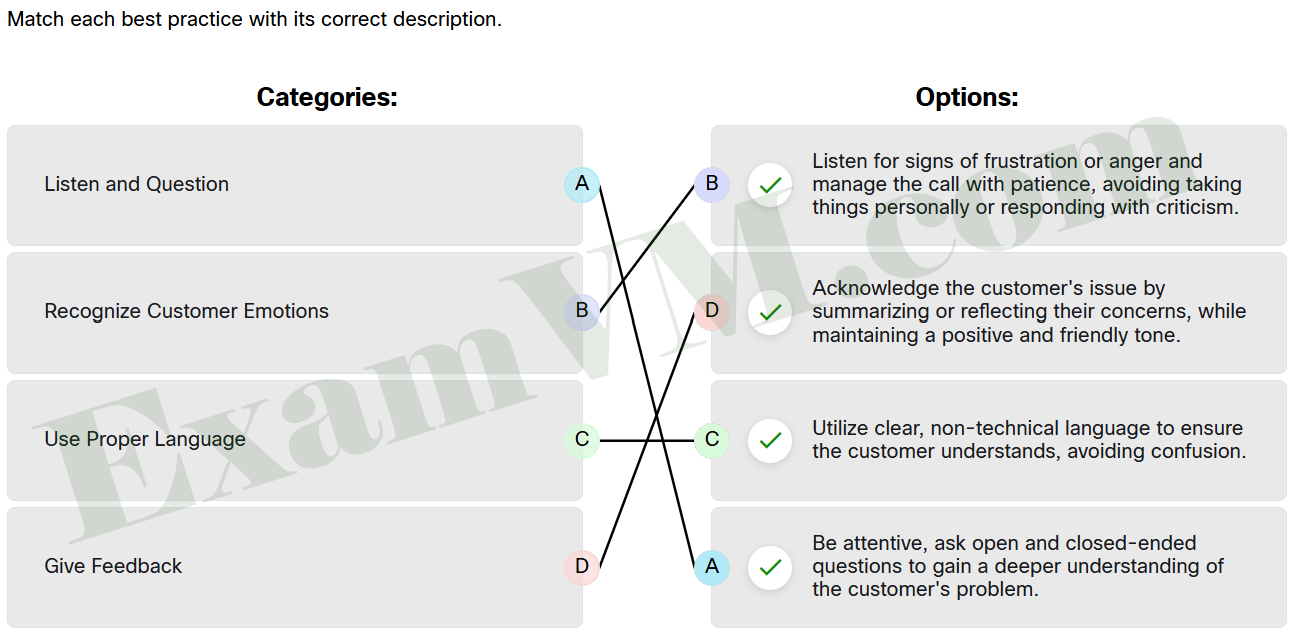
- Use Proper Language ==> Utilize clear, non-technical language to ensure the customer understands, avoiding confusion.
- Listen and Question ==> Be attentive, ask open and closed-ended questions to gain a deeper understanding of the customer’s problem.
- Give Feedback ==> Acknowledge the customer’s issue by summarizing or reflecting their concerns, while maintaining a positive and friendly tone.
- Recognize Customer Emotions ==> Listen for signs of frustration or anger and manage the call with patience, avoiding taking things personally or responding with criticism.
15. Which tip is recommended when helping a rude customer?
- Apologize for the wait time and inconvenience, even if no wait time occurred.
- Ask the customer to repeat any information you didn’t hear the first time.
- Be rude back to the customer if they are rude to you.
- Skip the step-by-step approach to solving the problem to speed things up.
The correct approach is to always remain professional and apologize for any perceived inconvenience, even if there was no actual wait time. This shows empathy and can help defuse tension. It’s also important to follow a clear, step-by-step approach to solving the problem, listen carefully, and offer to transfer the customer to their preferred technician if applicable, while maintaining politeness throughout. Avoid rudeness or skipping steps, as this can escalate the situation.
16. Which tip is recommended when helping an angry customer?
- Interrupt the customer to get straight to the solution.
- Apologize for the inconvenience and listen carefully to the customer without interrupting
- Show compassion by spending time discussing what caused the problem in order to understand it better.
- Put the angry customer on hold to manage the situation.
The correct approach is to let the customer express their frustration without interruption, as this allows them to release some anger. Apologizing for any inconvenience helps to calm the customer, and focusing the conversation on solving the problem (rather than discussing the cause) is essential. Avoid putting the customer on hold or transferring the call, as it could escalate their frustration.
17. Why is being clear and concise important for a help desk technician when communicating with customers?
- It ensures that the conversation is brief, regardless of issue complexity.
- It allows the technician to multitask effectively during calls.
- It reduces the need for documentation after the call.
- It helps resolve issues quickly and keeps customers satisfied.
Being clear and concise enables help desk technicians to communicate solutions effectively, which helps in resolving issues promptly and increases customer satisfaction. This skill is essential for providing a positive customer experience and maintaining efficiency in support interactions.
18. After ending a call with a customer, what is the correct order for documenting the interaction effectively?
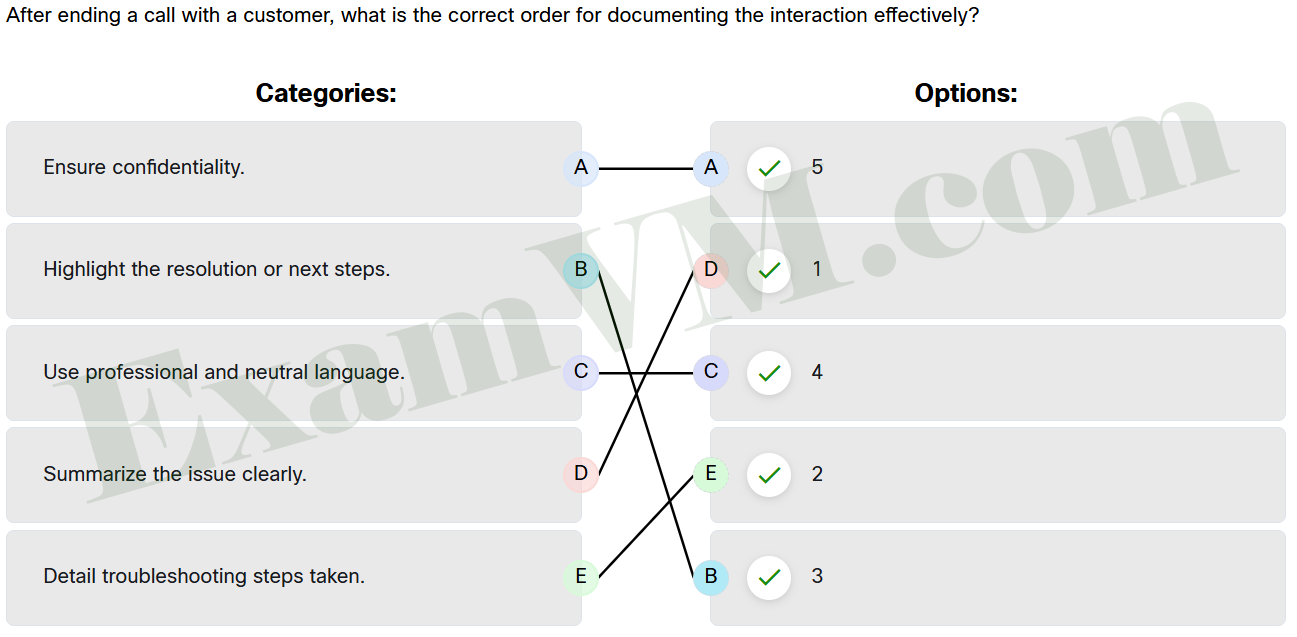
- Use professional and neutral language. ==> 4
- Detail troubleshooting steps taken. ==> 2
- Highlight the resolution or next steps. ==> 3
- Ensure confidentiality. ==> 5
- Summarize the issue clearly. ==> 1
19. What is a primary function of a knowledge base in an organization?
- To monitor employee performance and track productivity, provide resources, and store trouble tickets.
- To handle external communications with customers.
- To store personal user data for internal use only.
- To provide a centralized repository for articles, troubleshooting guides, and training materials.
A knowledge base serves as a centralized platform where users can create, share, and manage various types of information, such as FAQs, troubleshooting scenarios, training documents, and internal support resources. It helps streamline information sharing and enhances self-service support.